Lead Delivery
2 min
Every lead you receive is saved in your dashboard. With Lead Delivery, you can also have leads forwarded straight to your CRM or dialer as they come in.
How to add a new integration
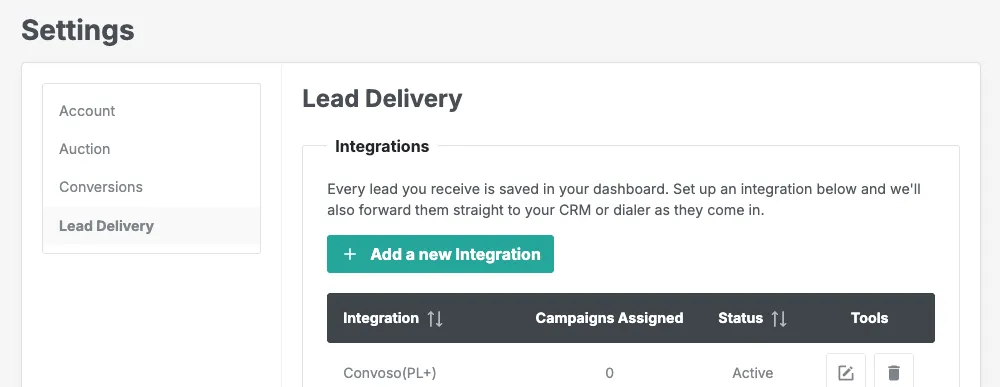
- Go to Settings > Lead Delivery
- Click + Add a new Integration
- Select your CRM or dialer from the dropdown
- Give the connection a name so you can tell it apart if you add more than one
- Select which campaigns you'd like leads forwarded from
- Fill in any additional fields that appear, such as an API Key or posting URL
- Click Save Connection
Your connection will show as Pending while your Account Manager reviews and activates it. Once active, leads from your selected campaigns will be forwarded automatically.
Don't see your CRM or dialer?
Select "I don't see mine" from the dropdown and fill in a few quick details. Your Account Manager will be in touch to get you set up.
Need help?
Reach out to your Account Manager or contact support and we'll walk you through it.